Best Small Business NAS: Synology DS725+ Leads

Five small business NAS picks compared on bays, workload rating and warranty, with the Synology DS725+ named as the default choice for most offices.

By Connor SmallUpdated 15 min read
On this page
- Best small business NAS at a glance
- How I screened the field down to five
- 1. Synology DS725+ Expandable NAS Storage — Best overall
- 2. UGREEN NAS DXP4800 Pro 4-Bay — Best for beginners
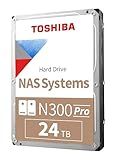
- 3. Toshiba N300 PRO 24TB — Best premium
- 4. Western Digital 8TB WD Red Pro — Best budget pick
- 5. BUFFALO TeraStation Essentials 2025 — Best for heavy use
- What actually decides a small business NAS?
- Enclosure or bare drive: which line are you shopping?
- How many bays does a small office really need?
- What the listings do not tell you
- The verdict
- FAQ
The best small business NAS for most offices is the Synology DS725+, a 3.33 lb two-bay diskless enclosure that starts small and stretches to 140 TB with a DX525 expansion unit. If you need four bays on day one, the UGREEN DXP4800 Pro is the better buy, with an Intel Core i3-1315U inside and a stated 144 TB ceiling across four HDDs and two M.2 SSDs.
Everyone shopping this category eventually asks the same question: what does more money actually buy? Here it buys different things at each tier, and the map is worth drawing before you look at any single product.
At the entry position you get either a compact two-bay enclosure like the DS725+ or a single bare NAS drive like the 8 TB WD Red Pro, each with a five-year or three-year warranty and a clear upgrade path. Mid-range spending buys more bays and a stronger processor: the UGREEN DXP4800 Pro sits here with its i3 chip and four-bay chassis. Premium spending in this set means two very different things. It buys the Toshiba N300 PRO 24 TB, a single drive rated for a 550 TB/year workload and built for up to 24 bays. Or it buys the Buffalo TeraStation Essentials 2025, a four-bay desktop NAS that arrives with 16 TB of disks and RAID already configured, along with a native 2.5GbE port.
Amazon's search for "best small business nas" mixes enclosures and bare hard drives in the same results, so the list below covers both. Treat the drives as candidates to fill an enclosure, not as alternatives to one.
Best small business NAS at a glance
| Pick | Bays / capacity | Warranty | Price |
|---|---|---|---|
Best overall Synology DS725+ |
2 bays, up to 140 TB with DX525 | 3 years | Check Price |
Best for beginners UGREEN DXP4800 Pro |
4 bays + 2x M.2, 144 TB claim | 2 years | Check Price |
Best premium Toshiba N300 PRO 24 TB |
Single 24 TB drive, 550 TB/yr workload | 5 years | Check Price |
Best budget pick WD Red Pro 8 TB |
Single 8 TB drive, 550 TB/yr workload | 5 years | Check Price |
Best for heavy use Buffalo TeraStation Essentials 2025 |
4 bays, 16 TB included, 2.5GbE | Not listed | Check Price |




How I screened the field down to five
I began with the search results for the primary term, then cut anything that could not stand on its published specifications. Marketing copy without figures went first. So did listings that hid capacity, bay count or workload rating behind a variation drop-down without publishing them on the main page.
The remaining candidates split into two families. Enclosures: the Synology DS725+, the UGREEN DXP4800 Pro and the Buffalo TeraStation Essentials 2025. Bare NAS drives: the Toshiba N300 PRO 24 TB and the WD Red Pro 8 TB. Both families showed up under the same search, which is why they sit in the same table above.
Three screening rules did the real work:
- A published warranty in years, so a small business can plan replacement cycles.
- A stated capacity or expansion ceiling, so nobody has to guess how far it will scroll.
- A concrete performance figure, whether that is a 7200 RPM spindle speed, a 550 TB/year workload rating or a 2.5GbE port.
Every pick below clears at least two of those three, and the Toshiba and WD Red Pro clear all three.
1. Synology DS725+ Expandable NAS Storage — Best overall
A compact two-bay enclosure with a credible growth path to 140 TB, and the most balanced pick in this small business NAS set.
Best for: small offices that want to start with two drives and grow later Skip it if: you already need four bays on day one
The DS725+ is the second-cheapest pick here and the smaller of the two Synology-family enclosures a reader is likely to shortlist. It measures 6.54 x 8.78 x 4.17 in and weighs 3.33 lb, so it sits on a shelf without demanding a rack. Synology says the chassis begins with two drives and expands to 140 TB total capacity using a DX525 expansion unit, which adds five extra drive bays. That growth path is the reason it wins outright: no other enclosure in the set publishes a ceiling that high while starting from two bays.
The listing claims RAID redundancy, snapshot technology and automated backups as a combined data-protection story, and support for 30 IP cameras through the Surveillance Station app. Treat those as Synology's claims until you check them against your workflow.
Against the four-bay picks, the DS725+ makes one obvious trade: two live drives on day one instead of four. It also carries a three-year warranty, shorter than the five years published on the Toshiba and WD Red Pro drives that will likely go inside it.
Pros:
- 140 TB ceiling with a DX525 expansion unit
- Compact 6.54 x 8.78 x 4.17 in footprint
- Snapshot and RAID protection in one stack
- Mature Synology software ecosystem
- Released in 2025, so a full support runway
Cons:
- Only two bays before you buy the expander
- Three-year warranty, shorter than the drives it hosts
- Sold diskless, so budget for disks separately
2. UGREEN NAS DXP4800 Pro 4-Bay — Best for beginners
Four bays, two M.2 slots and a familiar Intel processor, in a chassis aimed at first-time NAS buyers who want headroom.

Best for: first-time NAS buyers who want four bays and a familiar Intel chip Skip it if: you prefer a mature, long-established NAS ecosystem
The DXP4800 Pro sits in the middle of this small business NAS lineup by price and near the top by hardware. UGREEN specifies an Intel Core i3-1315U with six cores and eight threads, turbo up to 4.5 GHz. The chassis measures 7.01 x 10.1 x 7.01 in and weighs 8.77 lb, roughly two and a half times the DS725+, which matches its four HDD bays plus two M.2 SSD slots. UGREEN says total capacity reaches 144 TB across all six drive positions.
For a beginner the appeal is the number of empty bays waiting on day one. Start with two disks, add two more when the first pair fills, and use the M.2 slots for cache or a fast tier. UGREEN lists Docker and virtual machine support and RAID 0, 1, 5 and 10 as configuration options. Those are the listing's claims, not a benchmark.
The trade-offs are honest. The warranty is two years, the shortest of the five picks. UGREEN's platform is newer than Synology's, so third-party guides are thinner on the ground. And the 8.77 lb chassis wants a shelf of its own.
Pros:
- Intel Core i3-1315U, six cores per UGREEN
- Four HDD bays plus two M.2 SSD slots
- Stated 144 TB total capacity ceiling
- RAID 0, 1, 5, 10 options in the listing
Cons:
- Two-year warranty, the shortest here
- Newer software platform, thinner community docs
- Heaviest enclosure of the three at 8.77 lb
3. Toshiba N300 PRO 24TB — Best premium
A single 24 TB drive with a five-year warranty and a 550 TB/year workload rating, built for the largest chassis a small business is likely to run.

Best for: 24-bay chassis owners who need a heavy workload rating Skip it if: you only run a two-bay desktop unit
The N300 PRO is the most expensive pick here, and the most specification-dense. It is a single 3.5-inch drive at 24 TB, 7200 RPM, with a 1.0 GB cache and a CMR recording surface. Toshiba rates it for a 550 TB/year workload and quotes MTTF up to 2.5 million hours. The listing states the drive is built for medium and large business NAS with up to 24 bays and includes integrated RV sensors for rotational vibration in multi-bay systems.
Two figures do the heavy lifting when you compare it against the WD Red Pro further down. Capacity: 24 TB against 8 TB, three times the volume in the same 3.5-inch form factor. Warranty: five years on both. Workload rating: 550 TB/year on both. The Toshiba's advantage is density, not longevity.
The trade is straightforward. This is a premium-tier drive priced accordingly, and its integrated RV sensors are most useful in busy multi-bay arrays. Drop it into a two-bay desktop and you are paying for capabilities the chassis will not stress.
Pros:
- 24 TB per drive, the highest capacity in this set
- 550 TB/year workload rating
- Five-year limited warranty
- CMR surface, broad NAS compatibility
- Integrated RV sensors for multi-bay use
Cons:
- The most expensive pick here
- Overspecified for a two-bay desktop
- Only one seller lists it
4. Western Digital 8TB WD Red Pro — Best budget pick
The cheapest pick here, and the sensible way to fill a two-bay or four-bay enclosure without giving up the workload rating.

Best for: filling a small NAS on the tightest sensible per-bay outlay Skip it if: you need more than 8 TB in a single drive
The WD Red Pro at 8 TB is the cheapest of the five picks and the drive most likely to end up inside the DS725+ or the DXP4800 Pro. It runs at 7200 RPM, uses a CMR surface, offers 256 MB of cache and is rated for a 550 TB/year workload. Western Digital publishes a five-year limited warranty. Physically it is a standard 3.5-inch drive at 1.47 lb.
Two things earn it a slot on this shortlist. It matches the Toshiba's 550 TB/year workload rating and five-year warranty at a small fraction of the capacity, so the per-bay cost drops sharply if you can live inside 8 TB per drive. And Western Digital notes the drive is tested against a wide range of NAS system vendors, which is the kind of compatibility footnote worth reading before you commit to a platform.
The obvious trade is capacity. Eight terabytes is a third of the Toshiba, so a two-bay DS725+ populated with WD Red Pros tops out at 16 TB before RAID, against 48 TB with a pair of N300 PROs. This is the entry-tier drive for a reason.
Pros:
- Cheapest pick in the set
- 550 TB/year workload rating
- Five-year limited warranty
- 256 MB cache, 7200 RPM
- Broad NAS compatibility per WD
Cons:
- Only 8 TB per drive
- Fills a small array quickly
- One drive is one drive, not a system
5. BUFFALO TeraStation Essentials 2025 — Best for heavy use
A four-bay desktop NAS that ships with 16 TB of drives, RAID pre-configured and a 2.5GbE port ready to plug in.

Best for: offices that want drives, RAID and 2.5 GbE working out of the box Skip it if: you want to pick your own disks and hypervisor
The TeraStation Essentials 2025 is the outlier here: the only enclosure that arrives with disks fitted. Buffalo lists a four-bay chassis with 16 TB of storage (4x 4 TB), RAID pre-configured out of the box, and a native 2.5GbE port for higher speed file transfers without a cable upgrade. The listing also names 256-bit drive encryption and cloud sync to Amazon S3, Dropbox, Azure and OneDrive.
The pitch is time. Anyone who has spent an afternoon fitting drives, initialising an array and configuring shares will read "hard drives included and RAID pre-configured" as a real saving. The 2.5GbE port matters too, because the other enclosures publish little about their network interfaces in the fields available.
The costs are equally clear. Buffalo does not publish a warranty in the specifications, and the listing gives fewer hard figures than the Synology or the UGREEN. This is a premium-tier price for a bundled solution rather than a raw specification win, so shortlist it if the bundle matters more to you than the ability to pick your own disks.
Pros:
- Ships with 16 TB of drives fitted
- RAID pre-configured out of the box
- Native 2.5GbE port per Buffalo
- 256-bit drive encryption in the listing
- Cloud sync to S3, Dropbox, Azure, OneDrive
Cons:
- No warranty published in the specifications
- Fewer hard figures than rival enclosures
- Fixed 4x 4 TB layout, less flexible on disks
What actually decides a small business NAS?
Most guides compare processor cores. That is not what decides it. Two figures decide a small business NAS, and both are easy to check on the listing page.
The first is the workload rating in terabytes per year. The Toshiba N300 PRO and the WD Red Pro both publish 550 TB/year. That is the number a NAS drive is designed to handle before its warranty expectations tail off, and it tells you the drive will survive a small business's continuous read and write cycles. A consumer desktop drive typically publishes a much lower figure or none at all, which is why you cannot swap one in.
The second is the bay count on day one, plus the ceiling on expansion. The Synology DS725+ starts at two and reaches 140 TB with a DX525. The UGREEN DXP4800 Pro starts at four and lists 144 TB across HDDs and M.2 SSDs. The Buffalo ships with four bays populated. A best small business NAS decision usually comes down to whether you want to buy bays now or buy the option to add them later.
Processor and RAM matter for virtual machines, containers and heavy media transcoding. For file sharing and backups they matter less than either of the two figures above.
Enclosure or bare drive: which line are you shopping?
Search results for the primary keyword mix both, so it is worth being explicit. An enclosure is the box with bays, a CPU, RAM, network ports and the operating system. A bare drive is one spindle that goes inside it. You need both.
Three of the picks here are enclosures: the Synology DS725+, the UGREEN DXP4800 Pro and the Buffalo TeraStation Essentials 2025. Two are drives: the Toshiba N300 PRO and the WD Red Pro. Only the Buffalo arrives with drives fitted, so if you buy the Synology or the UGREEN you also buy disks.
A short numbered checklist for a first buyer:
- Pick the enclosure first: two-bay if you value the smallest footprint, four-bay if you want headroom.
- Match the disks to the bays, and buy identical drives across the array.
- Check the workload rating and warranty on the disks against the hours the NAS will run.
- Reserve one bay's worth of budget for a spare drive to sit on the shelf.
Skip step four and the first failed disk becomes an emergency instead of a swap.
How many bays does a small office really need?
The honest answer is that most small offices settle on four bays and stop there. Two bays run out fast once you turn on RAID 1, because half the raw capacity goes to redundancy. Four bays in RAID 5 or RAID 10 give you a working balance of capacity and protection, which is why the UGREEN and the Buffalo both target that layout.
That said, the DS725+ earns the overall win because it lets a two-drive buyer scale without swapping the chassis. Its 140 TB ceiling with the DX525 expansion unit is a genuine growth path, not marketing. If you know today that you want four bays running from the first week, the UGREEN DXP4800 Pro is the better start. If you already run a rack with six or more bays, the Toshiba N300 PRO is the drive built for it.
- Two bays: light file sharing, one or two users, tight footprint.
- Four bays: the workhorse layout for most small businesses.
- Six-plus bays: media libraries, surveillance retention, and heavy backup targets.
Where the modifier "small business" strains here is that the Toshiba is designed for chassis of up to 24 bays. Small is a spectrum, so read the workload figures alongside the bay count and decide honestly which end of it you sit at.
What the listings do not tell you
Product pages rarely publish the small stuff that trips up a first NAS deployment. Three things worth knowing before you click buy:
- Fan noise. None of the five listings publishes a decibel figure. If the NAS lives in the same room as a desk, plan on hearing it during a rebuild.
- Idle power. Not published either. A NAS that runs 24/7 is a small but permanent line on the electricity bill.
- Cross-platform disk warranties. Both the Toshiba and the WD Red Pro publish five years, but the enclosure warranties are shorter: three years on the Synology, two on the UGREEN, unlisted on the Buffalo. Match your replacement plan to the shortest of the two.
None of these will change the top pick. All three will shape the second year of ownership, which is when the shine on the setup starts to matter less than the running cost.
The verdict
If you run a small office and want one recommendation, buy the Synology DS725+, populate it with a pair of WD Red Pro 8 TB drives, and put a third disk on the shelf as a cold spare. That is the entry-tier configuration and it clears the two figures that decide the category: a 550 TB/year workload rating on the disks and a 140 TB expansion ceiling on the enclosure.
Two tracks flip that call. If you already need four bays on the first day, jump to the UGREEN DXP4800 Pro for the Intel Core i3-1315U and the two M.2 SSD slots, and fill it with the same WD Red Pros or step up to a higher-capacity drive. The cutoff is honest: two bays if your working set fits inside 16 TB after RAID, four bays if it does not.
At the premium tier the picture splits again. If you want a specification-dense drive for a larger chassis, the Toshiba N300 PRO 24 TB is the pick. If you want a fully bundled four-bay NAS with disks and RAID already configured, the Buffalo TeraStation Essentials 2025 trades some specification transparency for setup time saved. Both are premium-band buys, and both make sense in different offices.
FAQ
Is a small business NAS worth it over cloud storage?
A small business NAS is worth it when your working set is large, your internet upload is slow, or your compliance rules say the data stays on your premises. The DS725+ or the DXP4800 Pro pays back over a few years against a monthly cloud bill for the same terabytes, and gives you snapshot restores at LAN speed. Cloud still wins for offsite backup, so most offices run both.
How many drives does the Synology DS725+ hold?
The Synology DS725+ holds two drives on its own, in the 6.54 x 8.78 x 4.17 in chassis. Synology says you can add a DX525 expansion unit for five extra drive bays and a stated 140 TB total capacity. That means you can start with a pair of NAS-rated disks now and grow the array without replacing the head unit, which is why it wins overall.
Synology DS725+ vs UGREEN DXP4800 Pro, which should I buy?
Between the Synology DS725+ and the UGREEN DXP4800 Pro, choose by bay count on day one. Buy the DS725+ if two bays plus a future expander suits you, and you want the more established software platform. Buy the DXP4800 Pro if you want four HDD bays plus two M.2 SSD slots now, an Intel Core i3-1315U per UGREEN, and 144 TB claimed capacity in one chassis.
Do the Toshiba N300 PRO and WD Red Pro have the same warranty?
The Toshiba N300 PRO and the WD Red Pro both carry a five-year limited manufacturer warranty according to their listings, and both publish a 550 TB/year workload rating with a CMR recording surface. The real difference is capacity per drive: 24 TB on the Toshiba versus 8 TB on the WD Red Pro. Pick the Toshiba for density, the WD Red Pro for the lowest cost per bay.
What is the biggest mistake buying a first small business NAS?
The biggest mistake buying a first small business NAS is treating the enclosure and the disks as the same purchase. They are not. The Synology DS725+ and the UGREEN DXP4800 Pro ship diskless, so budget for NAS-rated drives with a published workload rating. Skip that check and you end up with desktop-class disks running 24/7 in a role they were not built for.
Once you have picked your enclosure and your drives, plug the NAS into a wired switch, run the setup wizard, and give yourself an hour to configure the first shared folder and a scheduled backup. That first hour is where a NAS earns its keep, because after it, everything is on autopilot. The Synology DS725+ is the default recommendation here because it lets a two-bay buyer today become a seven-bay buyer next year without a forklift upgrade, and that single decision, made once, keeps the small business NAS question closed for a long time.