Best Rackmount NAS for Plex by CPU and Bandwidth

Seven rackmount picks compared on the specs that decide Plex transcoding: CPU cores, network bandwidth, chassis depth. The Asustor Lockerstor 16 Pro leads, but two shorter-depth boxes win when your rack is shallow.

By Connor SmallUpdated 16 min read
On this page
- Best rackmount NAS for Plex at a glance
- How I narrowed this field, and what got cut
- Does this hardware actually transcode Plex?
- 1. Asustor Lockerstor 16 Pro Gen2 AS7216RDX — Best overall
- 2. TERRAMASTER U4-500 — Best compact
- 3. QNAP TS-433eU-US — Best for families
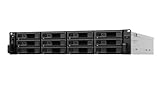
- 4. Synology RackStation RS422+ — Best for beginners
- 5. Synology SA3410 — Best premium
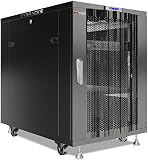
- 6. Sysracks 18U Server Rack Cabinet — Best for heavy use
- 7. QNAP TR-004U Rackmount Expansion — Best budget pick
- How deep is your rack, really?
- What more bays and more money buy
- Which pick fits which room?
- The verdict
- FAQ
The best rackmount NAS for Plex is the Asustor Lockerstor 16 Pro Gen2 AS7216RDX, an 8-core AMD Ryzen 7 Pro 7745 box with 16 GB ECC DDR5 and dual 10GbE that outmuscles the rest of this set. If your rack is shallow, the TERRAMASTER U4-500 fits a single 1U slot at 17.3 inches deep and carries a 12th-gen Core i3. Here's the price-band map before you scroll: entry boxes handle a modest household, mid gets you a modern Intel chip in one U, and premium buys cores, ECC, and bays.
Best rackmount NAS for Plex at a glance
| Pick | CPU | Network | Price |
|---|---|---|---|
Best overall Asustor Lockerstor 16 Pro Gen2 AS7216RDX |
Ryzen 7 Pro 7745, 8-core | Dual 10GbE + dual 1GbE | Check Price |
Best compact TERRAMASTER U4-500 |
Core i3-1215U, 6-core | Dual 10GbE (claim) | Check Price |
Best for families QNAP TS-433eU-US |
Cortex-A55, 4-core ARM | Dual 2.5GbE | Check Price |
Best for beginners Synology RackStation RS422+ |
Not listed | Dual 1GbE, 10GbE optional | Check Price |
Best premium Synology SA3410 |
Not listed | Dual 10GbE RJ-45 | Check Price |
Best for heavy use Sysracks 18U Cabinet |
Enclosure, no CPU | N/A, holds gear | Check Price |
Best budget pick QNAP TR-004U Expansion |
Expansion, no CPU | USB 3.0 Type-C | Check Price |



How I narrowed this field, and what got cut
Three picks got cut from any "runs Plex on its own" claim before I ranked the rest. That matters, so I'll name them up front rather than bury the caveat.
The Sysracks 18U cabinet is a rack, not a server. It has no processor and no drive bays of its own. The QNAP TR-004U is an expansion unit, built to bolt four extra drives onto a NAS you already own over USB 3.0 Type-C. And the Synology RS422+ ships without a listed CPU spec, so I can't tell you what it transcodes.
Everything else earned a look by these tests:
- A processor spec I could read, since a Plex server lives or dies on its chip.
- Network bandwidth above a single gigabit link, where the library grows.
- A rackmount form factor, because that's the whole point of this best rackmount NAS for Plex roundup.
I compared the published specifications side by side, not marketing headlines. Where a figure was missing, I say so in the pick instead of guessing. The cabinet and the expansion box still made the list because a real Plex rack often needs both. You just shouldn't expect either to stream a movie by itself.
Does this hardware actually transcode Plex?
Here's the honest part. Amazon's search for "Plex" pulled in enclosures that publish nothing about transcoding, so I won't promise any of these hits a specific stream count. You have to judge that yourself, and the CPU is where you look.
Transcoding is the work Plex does when it reshapes a video to suit the device and connection playing it. Direct play skips that. Transcoding leans hard on the processor.
- The Asustor's Ryzen 7 Pro 7745 brings 8 cores and 16 threads. That's the most raw CPU in this set.
- The TERRAMASTER's Core i3-1215U is a 6-core, 8-thread 12th-gen Intel chip, and TERRAMASTER says it carries Intel UHD Graphics for hardware acceleration.
- The QNAP TS-433eU-US runs a 4-core ARM Cortex-A55 at 2.0GHz. That's a file-serving chip, not a heavy transcoder.
Intel's integrated graphics is the feature Plex fans hunt for, because it offloads transcoding from the CPU. Of the picks with a listed chip, only the TERRAMASTER names that graphics block. The Asustor wins on cores; the TERRAMASTER wins on the acceleration story. Read the chip, not the bay count.
1. Asustor Lockerstor 16 Pro Gen2 AS7216RDX — Best overall
This is the most capable server in the set, with 8 CPU cores, ECC memory, and two 10GbE ports built in.
Best for: a heavy library with many concurrent streams and a deep rack Skip it if: you have a shallow cabinet or a modest stream count
The Lockerstor 16 Pro leads because nothing else here matches its horsepower. Asustor lists an AMD Ryzen 7 Pro 7745 with 8 cores and 16 threads, paired with 16 GB of ECC DDR5-4800 that the company says expands to 192 GB. ECC memory corrects bit errors on the fly, which matters when a library and its metadata sit on the same box for years.
Networking is the other reason it wins. It ships with dual 10GbE plus dual 1GbE, so a busy household saturating the pipe has real headroom. Asustor also cites PCIe 5.0 x8 and x4 slots and dual redundant 80 PLUS Platinum power supplies, which keep the array up if one supply dies.
The trade-off is size and weight. This is a 3U chassis at 22.7 inches deep and 33.7 lb, the heaviest listed unit here. It also sits at the top of the price ladder, second only to the SA3410. If your rack is shallow or your stream count is small, you're paying for cores you won't wake.
Pros:
- 8-core Ryzen 7 Pro 7745, most cores in the set
- 16 GB ECC DDR5, Asustor claims 192 GB max
- Dual 10GbE plus dual 1GbE onboard
- Dual redundant Platinum power supplies claimed
- 5-year manufacturer warranty, longest here
Cons:
- 22.7 inches deep, needs a full-depth rack
- 33.7 lb, heaviest unit listed
- Near the top of the price ladder here
- Only one seller lists it
2. TERRAMASTER U4-500 — Best compact
A 12th-gen Intel Core i3 with integrated graphics, squeezed into a single 1U slot 17.3 inches deep.

Best for: a single-U slot with a modern Intel chip for transcoding Skip it if: you need more than four drives or ECC memory
The U4-500 is the pick I'd start with for a space-tight rack that still needs real transcoding muscle. TERRAMASTER lists a Core i3-1215U with 6 cores, 8 threads, and turbo to 4.4GHz, plus 8 GB of DDR5. The chip carries Intel UHD Graphics at 1.1GHz, and Intel's integrated graphics is exactly what Plex fans want for hardware acceleration.
It packs that into a 1U body just 1.77 inches tall and 17.3 inches deep, weighing 13.7 lb. TERRAMASTER also claims dual M.2 NVMe slots for cache and dual 10GbE ports with 20Gbps aggregate bandwidth. On paper, that's a lot of server per U.
Against the Asustor, you give up half the cores, all the ECC memory, and 12 of the 16 bays. Four drives is the ceiling here. If your library is huge or you value error-correcting memory, the compact win stops being worth it. For most single-slot Plex builds, though, this is the sweet spot.
Pros:
- Core i3-1215U, 6 cores, 4.4GHz turbo claimed
- Intel UHD Graphics named for acceleration
- Just 17.3 inches deep, fits shallow racks
- Dual 10GbE claimed, 20Gbps aggregate
- 2-year warranty
Cons:
- Four bays only, no expansion path listed
- No ECC memory, unlike the Asustor
- 10GbE spec is a manufacturer claim
- Only one seller lists it
3. QNAP TS-433eU-US — Best for families
The shortest-depth server here at 11.51 inches, with dual 2.5GbE for a small household.

Best for: a shallow 1U rack and a small household Skip it if: you expect the ARM chip to transcode heavy files
The TS-433eU-US earns its spot on depth alone. QNAP lists a chassis just 11.51 inches (292.3mm) deep, the shallowest in this roundup by a wide margin. If your rack sits in a closet or a media console, that number decides everything.
Inside is a 4-core ARM Cortex-A55 at 2.0GHz with 4 GB of DDR4. That's a capable file server for a family sharing photos, backups, and direct-play video. QNAP also cites dual 2.5GbE ports and Boxafe backup for Google Workspace and Microsoft 365 accounts. It's a 2024 release with a 3-year warranty and sits as the second-cheapest pick here.
The catch is the same catch every ARM box carries: this chip won't shoulder heavy transcoding the way the Intel or AMD picks will. Files that need reshaping on the fly will stutter. Think of it as a shallow, quiet, four-bay hub for a household that mostly direct-plays, not a transcoding engine. Match it to the room, not the workload.
Pros:
- 11.51 inches deep, shallowest chassis here
- Dual 2.5GbE ports for shared households
- 3-year warranty on a 2024 release
- Second-cheapest pick in this set
- Boxafe cloud backup claimed
Cons:
- 4-core ARM chip, weak for transcoding
- Only 4 GB DDR4, no listed expansion
- 2.5GbE tops out below the 10GbE picks
- Only one seller lists it
4. Synology RackStation RS422+ — Best for beginners
A short-depth Synology four-bay that leans on DSM software, the friendliest platform for a first rack build.

Best for: a first rackmount build on Synology's software Skip it if: you want 10GbE without buying an add-in module
The RS422+ is where I'd point a first-time rack owner, because Synology's DSM software is the gentlest on-ramp in this category. The listing doesn't publish a CPU figure, so I won't claim a transcoding tier. What I can tell you is the platform, the size, and the network story.
Synology gives it a 21-inch-deep body, 5.45 inches tall, released in 2022 with a 3-year warranty. The company claims over 601/516 MB/s sequential read and write. Dual 1GbE ports handle failover and load balancing, and Synology says plug-and-play modules add 10GbE RJ-45 when you outgrow gigabit.
That last point is the honest weakness. Out of the box you get gigabit, not 10GbE, and the faster link costs extra. Against the TERRAMASTER, you also lose the named Intel graphics and the DDR5. What you gain is DSM: mobile apps, guided setup, and a package system that a beginner can actually navigate. Buy it for the software, and grow the network later.
Pros:
- DSM software, easiest setup in the set
- 21 inches deep, fits many racks
- 3-year warranty, 2022 release
- Optional 10GbE module path claimed
- Dual 1GbE with failover and load balancing
Cons:
- No published CPU spec to judge transcoding
- 10GbE needs a separate add-in module
- No DDR5 or graphics detail listed
- Gigabit-only out of the box
5. Synology SA3410 — Best premium
A 12-bay Synology enterprise chassis that grows to dozens of bays, with dual 10GbE and a 5-year warranty.

Best for: a growing archive that may reach dozens of bays Skip it if: your budget or your rack won't take a heavy 12-bay chassis
The SA3410 is the choice when the archive keeps growing and you don't want to migrate later. It's the only 12-bay unit here, and Synology says you can attach up to 7 RX1222sas expansion units for up to 96 drive bays. That headroom is unmatched in this roundup.
Synology cites over 6,200/3,000 MB/s sequential read and write, built-in 10GbE RJ-45 ports, and optional 10/25/40GbE or Fibre Channel adapters. It also lists Synology High Availability active-passive clustering to cut downtime. It's a 2023 release with a 5-year warranty, weighing 39.3 lb in a body 32.7 inches deep.
The SA3410 carries no published CPU figure, so like the RS422+, I won't slot it into a transcoding tier. Its case is capacity and uptime, not stream count. It's also the most expensive pick here and the deepest and second-heaviest, so it demands a real full-depth rack. Buy it as an enterprise data engine that happens to hold your library, not as a lean Plex box.
Pros:
- 12 bays, expandable to 96 bays claimed
- Built-in dual 10GbE RJ-45 ports
- High Availability clustering claimed
- 5-year warranty on a 2023 release
- Over 6,200 MB/s read claimed
Cons:
- Most expensive pick in the set
- No published CPU spec to judge transcoding
- 32.7 inches deep, needs a full rack
- 39.3 lb, second-heaviest here
6. Sysracks 18U Server Rack Cabinet — Best for heavy use
Not a server, but the cabinet that houses and cools the deep, heavy picks above.
Best for: housing and cooling several rackmount devices at once Skip it if: you only need one box and no cabinet
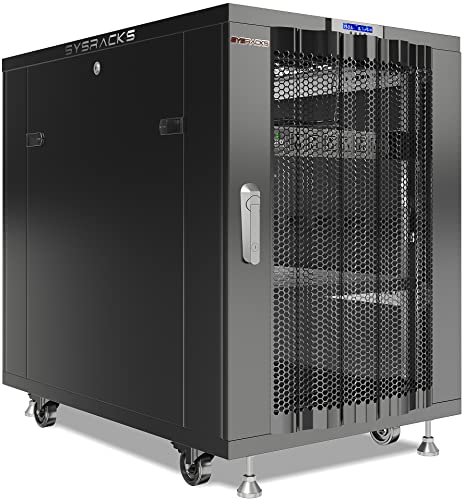
I'm including the Sysracks 18U honestly: it does not run Plex. It's the enclosure the servers live in, and a heavy-use rack often needs one, so here it is.
Sysracks lists an 18U cabinet 39 inches deep, which the company says fits full-depth rackmount servers with room behind for cables and airflow. That depth matters for the Asustor at 22.7 inches and the SA3410 at 32.7 inches, both of which need a genuine deep rack. The frame is rated at 1,600 lb, and Sysracks says the vented steel doors carry 4 pre-installed fans with a thermostat controller.
The kit is generous: removable side panels, locking doors, a shelf, a PDU, rolling casters with brakes, leveling feet, and mounting hardware. It carries a 2-year warranty and weighs 68 lb empty.
The trade-off is obvious. It stores nothing and streams nothing on its own. If you only have one shallow NAS, this is overkill and floor space you don't need. It sits in the premium band because it's a full home-lab cabinet, not a single-shelf bracket.
Pros:
- 39 inches deep, fits full-depth servers
- 1,600 lb frame capacity claimed
- 4 fans plus thermostat controller claimed
- Full kit: PDU, shelf, casters, hardware
- Locking doors and removable side panels
Cons:
- No CPU, storage, or Plex ability at all
- 68 lb empty, needs floor space
- Premium price for a support role
- Only one seller lists it
7. QNAP TR-004U Rackmount Expansion — Best budget pick
The cheapest pick here, and an expansion unit rather than a standalone server.

Best for: adding four more bays to a QNAP you already own Skip it if: you need a standalone server that runs Plex itself
The TR-004U is the cheapest of the seven, and it earns its place as the low-cost way to grow storage, not to add a server. It's a four-bay expansion unit that connects over USB 3.0 Type-C. It has no processor of its own.
QNAP lists lockable drive trays to prevent accidental removal and a disk-mode dip switch that toggles between hardware and software RAID control. Used with a QNAP NAS, you configure RAID and watch disk health through QNAP's Storage & Snapshots Manager. It's a 2019 unit weighing just 4.41 lb, the lightest in the set by far, in a body 21.3 inches deep.
The limitation is the whole point: it can't run Plex, transcode, or serve files alone. It's four extra bays for a box you already have. Against the standalone picks, it's not really competing, it's completing. If your existing QNAP is full and your budget is tight, this is the smart add-on. If you have nothing yet, start with one of the servers above.
Pros:
- Cheapest pick in the set
- Just 4.41 lb, lightest unit here
- USB 3.0 Type-C connection
- Lockable trays prevent accidental removal
- RAID and health via QNAP's manager
Cons:
- No CPU, cannot run Plex alone
- Expansion only, needs a host NAS
- 2019 release, oldest here
- No listed warranty figure
How deep is your rack, really?
Chassis depth trips up more rack buyers than any spec sheet number. A box that looks fine on a listing won't slide into a shallow cabinet, and the difference here is dramatic.
Line the depths up and the split is clear:
- QNAP TS-433eU-US: 11.51 in, the shallowest by far.
- TERRAMASTER U4-500: 17.3 in.
- Synology RS422+: 21 in.
- Asustor Lockerstor 16 Pro: 22.7 in.
- Synology SA3410: 32.7 in, the deepest server.
The Sysracks cabinet offers 39 inches of interior depth, which swallows all of them with cable room to spare. If you're mounting into a wall bracket or a closet shelf instead, measure first. The QNAP and TERRAMASTER are the two that fit almost anywhere. The Asustor and Synology SA3410 assume a real, deep rack. Miss that, and the best rackmount NAS for Plex on paper becomes a box that won't close the door.
What more bays and more money buy
Move up this set and you're mostly buying cores, bays, memory quality, and warranty length. Here's the shape of it, described tier by tier without prices.
- Entry tier. The QNAP TS-433eU-US and the TR-004U expansion sit lowest. You get four bays, ARM or no CPU, and modest networking. The RS422+ joins them near the bottom, adding DSM software and a 10GbE upgrade path.
- Mid tier. The TERRAMASTER U4-500 is the jump worth making. A modern 6-core Intel chip and named graphics for a single-U footprint. This is where transcoding starts to feel real.
- Premium tier. The Sysracks cabinet, the Asustor Lockerstor 16 Pro, and the Synology SA3410. Here you pay for 8 cores and ECC on the Asustor, 12 bays and clustering on the Synology, and a full home-lab enclosure from Sysracks.
The pattern: more money buys bays and CPU headroom, and the two most expensive picks add 5-year warranties. What it doesn't automatically buy is transcoding, since the SA3410 lists no CPU. Match the tier to your library size, then check the chip.
Which pick fits which room?
Every pick here suits a different room and a different job. Here's the quick map.
- Deep rack, big library, many streams: the Asustor Lockerstor 16 Pro.
- Shallow slot, real transcoding: the TERRAMASTER U4-500.
- Media closet, small household: the QNAP TS-433eU-US.
- First rack build on friendly software: the Synology RS422+.
- Growing archive that may hit dozens of bays: the Synology SA3410.
- Several devices needing a home: the Sysracks 18U cabinet.
- An existing QNAP that's out of bays: the TR-004U.
Read that list against your actual space and stream count, not against the biggest number on a spec sheet.
The verdict
The Asustor Lockerstor 16 Pro Gen2 AS7216RDX is the best rackmount NAS for Plex here, and the reason is straightforward: 8 Ryzen cores, 16 GB of ECC DDR5, and dual 10GbE give it the most transcoding and networking headroom in this set. If you're serving a large library to a busy house, it's the box that won't run out of room.
But the cutoff is your rack. If your cabinet is shallow, the Asustor's 22.7-inch depth rules it out, and the TERRAMASTER U4-500 becomes the better buy. Its 6-core Core i3-1215U with named Intel graphics fits a 1U slot just 17.3 inches deep, and Intel's integrated graphics is precisely the feature Plex users chase for hardware transcoding. You give up cores, ECC, and 12 bays, but you gain a server that actually fits.
If your household mostly direct-plays and space is tight, the shallow QNAP TS-433eU-US at 11.51 inches deep is the calmer, cheaper answer. Just don't ask its ARM chip to transcode heavy files. Pick the Asustor for power, the TERRAMASTER for power in a slim body, and the QNAP for a media closet.
FAQ
Which is the best rackmount NAS for Plex transcoding?
The best rackmount NAS for Plex transcoding in this set is the Asustor Lockerstor 16 Pro on raw cores, with an 8-core Ryzen 7 Pro 7745 and 16 GB ECC DDR5. For hardware-accelerated transcoding in a slim body, the TERRAMASTER U4-500 is the pick, since its Core i3-1215U carries named Intel UHD Graphics that Plex can lean on.
Is a rackmount NAS worth it over a desktop model?
A rackmount NAS is worth it when you already run a rack or plan to house several devices together. The Sysracks 18U cabinet, rated at 1,600 lb with 4 fans, shows the appeal: consolidated cooling and cabling. If you own one lone NAS in a living room, a desktop model saves space and money. The value scales with how much gear you're stacking.
Does the TERRAMASTER U4-500 beat the QNAP TS-433eU-US for Plex?
The TERRAMASTER U4-500 beats the QNAP TS-433eU-US for transcoding-heavy Plex use. The U4-500 lists a 6-core Intel Core i3-1215U with integrated graphics, while the QNAP runs a 4-core ARM Cortex-A55 that struggles to reshape video. The QNAP wins on depth, at 11.51 inches versus 17.3 inches, and on price, so choose it only for direct-play households in shallow racks.
What chassis depth do these rackmount NAS units need?
The chassis depth spans a wide range here. The QNAP TS-433eU-US is shallowest at 11.51 inches, the TERRAMASTER U4-500 is 17.3 inches, the Synology RS422+ is 21 inches, the Asustor is 22.7 inches, and the Synology SA3410 reaches 32.7 inches. Measure your rack before buying. The Sysracks cabinet offers 39 inches of interior room to fit any of them.
What is the most common rackmount NAS buying mistake?
The most common rackmount buying mistake is ignoring chassis depth. A capable server like the SA3410 at 32.7 inches deep won't fit a shallow closet cabinet, no matter how good its specs look. The second mistake is assuming every "Plex" listing transcodes: two picks here publish no CPU, and one is a rack, not a server. Read the chip and the depth first.
Start by measuring your rack's usable depth, then read the CPU spec, and the shortlist mostly picks itself. For a full-depth cabinet and a heavy library, the Asustor Lockerstor 16 Pro is the default: 8 cores and ECC DDR5 give it room to grow into streams you haven't added yet. If your space is tight, the TERRAMASTER U4-500 delivers a modern Intel chip with the integrated graphics Plex wants, inside a single 1U slot. Match the box to your room and your stream count, not to the biggest bay number on the page.